

Looks like the Tesla Spring Update is now becoming a norm like the Holiday Update every year. Last year, Tesla rolled out a bunch of new features and improvements in the 2024 Spring Update.
The tech & AI automaker teased the upcoming feature in an X (Twitter) post yesterday. This is usually posted around a week or so before the update actually starts to roll out to customer cars.
Holiday Season and Spring Season over-the-air (OTA) Tesla software updates are pushed to the global fleet of cars. Depending on the country and region, some features can be missing.
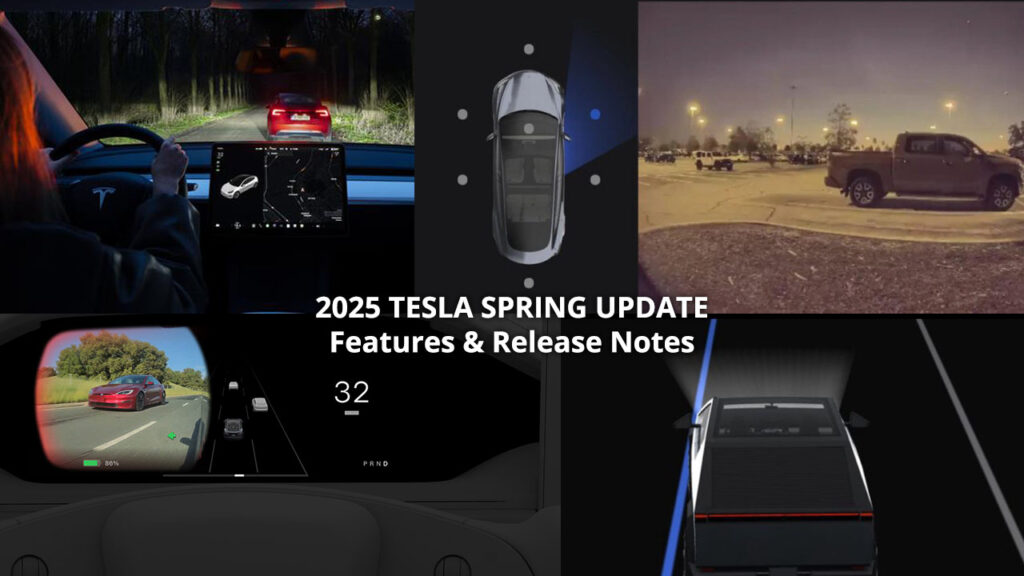
2025 Tesla Spring Update Official Release Notes (2025.14 and 2025.14.1)
Tesla has officially shared the highlights and release notes of the 2025 Spring Update. However, the automaker did not reveal the exact version number of this mid-year OTA software release.
Tesla teased the Spring Release (2025.14) a few days before the rollout began on 14th April. Tesla customer cars are now getting the 2025 Spring Update version 2025.14. Let’s explore the features and release notes below.
*Release notes updated for the subversion release 2025.14.1 (see Minor Updates).
Adaptive Headlights (US + Canada)
Tesla is finally bringing the more useful feature of the matrix LED headlights for its customers in the United States and Canada.
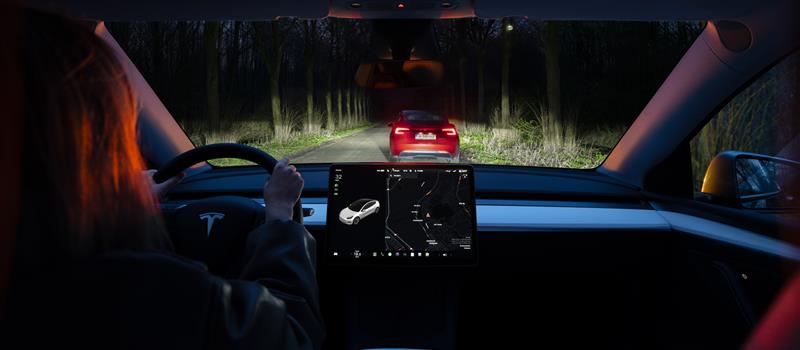
After installing the Spring Update, Tesla vehicles equipped with Matrix Headlights will adapt to the situation. It will reduce the glare for oncoming traffic and use high beams for the majority of night travelling for maximum visibility.
Tesla’s VP of Vehicle Engineering Lars Moravy hinted earlier this year that adaptive headlights are coming in a couple of months and the Spring Update has this feature now.
High beams adapt to reduce glare for other drivers and cyclists. By detecting other road users, and selectively dimming individual pixels of the headlight, your high beams stay on more often for greater visibility at night.
If your vehicle has the necessary hardware, you will see the setting under Controls > Lights > Adaptive Headlights
2025 Tesla Spring Update Release Notes
Check the comparison image below to know if you have the necessary hardware for adaptive matrix headlights.

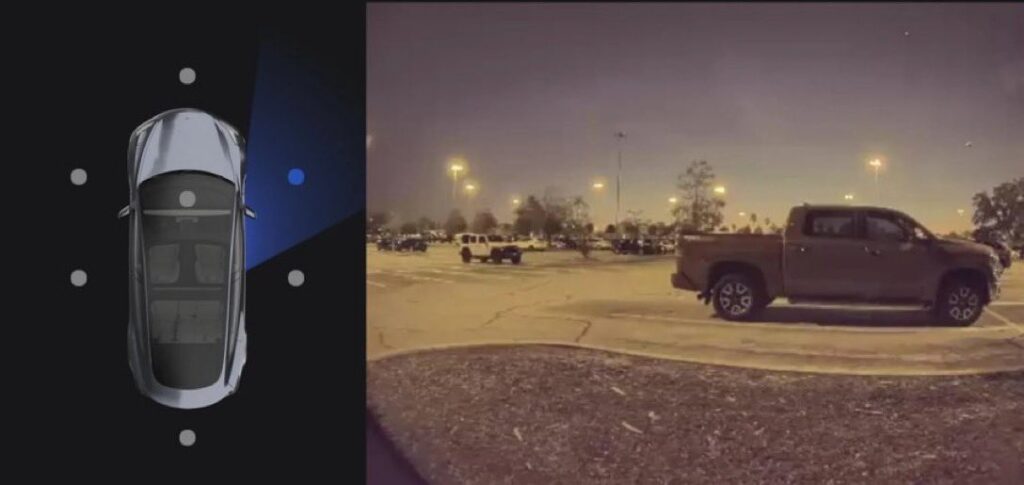
Dashcam Update & Side Camera Recording in Sentry Mode (Newer SX3Y)
In the wake of rising Tesla vandalism incidents, Tesla owners asked the automaker to enable the B-pillar cameras for Sentry Mode recordings.
While the footage from the side repeater cameras is useful in a security & safety event, adding B-pillar cameras to Sentry Mode makes it even better. Cameras at either pillar give a wider and farther view of the sides in an incident.
Your vehicle’s side cameras (B-Pillar) will now be recorded to both Dashcam and Sentry clips, increasing the total number of camera views from 4 to 6.
The Dashcam Viewer app has also been redesigned with a grid view and quick access to the next video, making it easier to review recordings.


Blind Spot Camera on Driver Screen (New Model S/X)
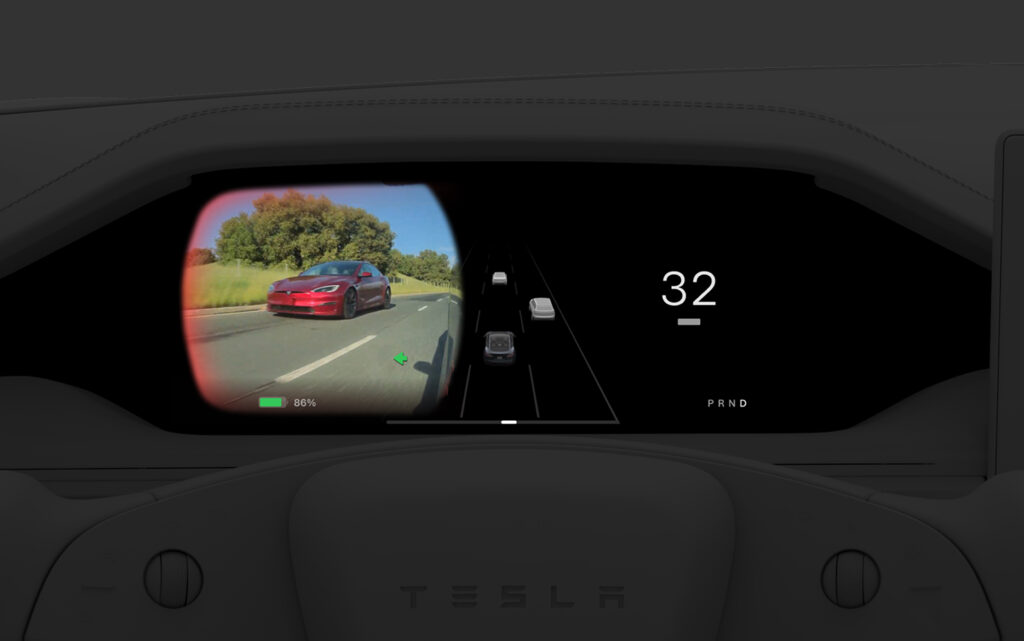
Blind Spot Camera feed is now available on the instrument panel.
Go to Controls > Display > Automatic Blind Spot Camera & select Driver Screen
Comfort Drive Mode in Autopilot (Cybertruck)
Your Cybertruck will now automatically transition to Comfort Drive Mode when Autopilot is engaged.
Lane Departure Avoidance (Cybertruck)
This feature warns you if your vehicle drifts near or out of your lane. With this update, your Cybertruck can now also assist you.
When enabled, a blue indicator line will appear on the touchscreen, showing which lane marking is being crossed. You can customize Lane Departure Avoidance in Controls > Autopilot > Lane Departure Avoidance.

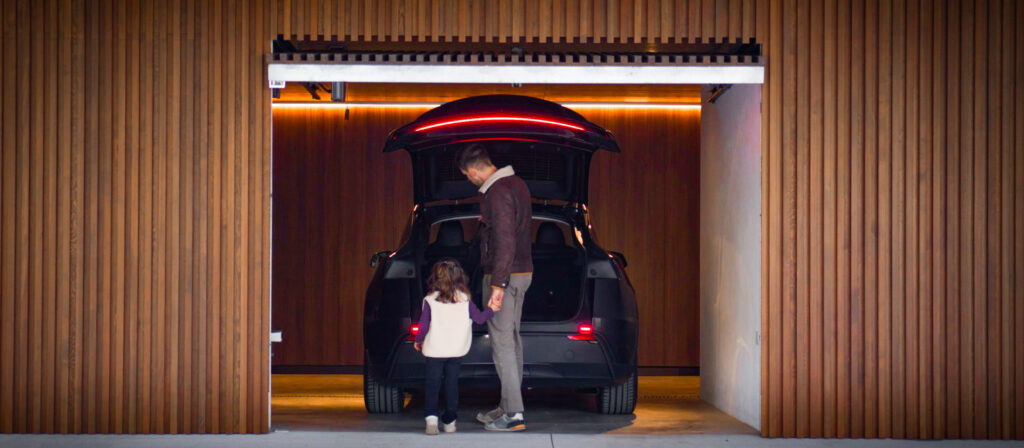
Save Trunk Height Based on Location (Model 3, Model Y, New Model S/X, New Model 3)
Customize the opening height of your trunk & save it as the default for a specific location, such as your garage.
To set height, manually adjust the lift gate to your preferred opening height, then press & hold the trunk close button until you hear a chime.
Save Frunk Height Based on Location (Cybertruck)
Customize the opening height of your frunk & save it as the default or for a specific location, such as your garage. Manually adjust to your preferred height, then press & hold frunk exterior button until you hear a chime.
Alternative Trip Plans
Multiple trip plans are now available for you to choose from, allowing you to better suit your travel needs. Also, when viewing a charger location page, nearby restaurants, cafes, and shops within walking distance are displayed at the bottom
- Fastest: offers the quickest route
- Best Amenities: prioritizes stops near open and highly rated restaurants, shops, and restrooms
- Fewer Stops: minimizes charging stops

Avoid Highways
Navigation can now avoid highways when possible. Go to Controls > Navigation > Avoid Highways
Keyboard Languages
Switch between different language input methods on your touchscreen. Go to Controls > Display > Keyboards
Keep Accessory Power On
Use or charge devices through USB ports / inductive phone charger / low voltage outlets (depending on what your vehicle is equipped with) after exiting your Tesla, as long as battery is >20%
Minor Updates
- When viewing a charger location page, nearby restaurants, cafes, and shops within walking distance are displayed at the bottom.
- Media search results are now filtered by sources, providing faster and more streamlined access to content
- You can now shuffle an entire Apple Music playlist that contains more than 100 songs
- Easily scroll through your SiriusXM favorites by tapping the steering wheel button left or right
- Sign in with your Amazon Music Free account. Requires Premium Connectivity or an active WiFi connection
- See what song will play next on YouTube Music playlists in the ‘Up Next’ view of the media player
- In your navigation settings, you can choose to show or hide chargers on the map that are not owned or serviced by Tesla.
- If your hotspot is enabled, it will automatically connect to your vehicle once you start driving, so you won’t have to reconnect each time
- Contact photos are now displayed for incoming calls and in the vehicle’s Phone app.
- This update includes important security fixes and improvements.
Stay tuned for constant Tesla updates, follow us on:
Google News | Flipboard | X (Twitter) | WhatsApp Channel | RSS (Feedly).
Related Tesla Software Updates News
- Tesla update 2026.2.9 in Europe shows FSD v14-like blue underglow in Summon visualizations (release notes)
- Grok AI comes to Tesla vehicles in Europe with the 2026.2.6 software update (official release notes)
- Tesla update 2026.2.3: hidden features, Service Mode FSD updates, battery recalibration, more
- Tesla update 2026.2.3 goes wide release, explore new features and release notes
- Tesla expands the rollout of FSD v14.2.2.4 (2025.45.9), release notes and first impression videos

- Tesla starts rolling out FSD v14.2.2.3 (2025.45.8), official release notes



 brings b-pillar cameras for Sentry Mode recording, adaptive matrix headlights, exciting new features for Model S, 3, X, Y, and the Cybertruck.)