

Tesla (TSLA) began rolling out Full Self-Driving (FSD) v15 to early-access customer cars soon after Elon Musk announced a wide release next month.
A select group of experienced Tesla owners with a strong Safety Score and a solid social media following has been chosen to receive the FSD v15 update.
Another limitation is having a Hardware 4 (HW4/AI4) Tesla vehicle. FSD v15 is not supported on the legacy Hardware 3 (HW3) cars.
The first version deployed on customer-owned vehicles is FSD v15.0.1 with firmware version 2026.38.6.11. This new firmware is a point-release upgrade from the previous global rollout of 2026.38.6.
The official release notes for FSD v15.0.1 clearly state that this is a ‘Supervised’ version of Full Self-Driving AI-vision software. It’s interesting that undeclared versions of FSD v15 work as Unsupervised FSD on Model Y Robotaxis and Cybercabs.
FSD (Supervised) still requires the driver to pay attention, be ready to take over, and remains ultimately responsible for any safety-related incident.
Tesla has finally updated the FSD release notes. FSD v14 release notes haven’t been updated in the past few months. Instead of deploying the Upcoming Improvements in FSD v14, Tesla directly transitioned to FSD v15 to provide an even better experience.
According to Tesla, “FSD v15 has upgraded every part of the end-to-end driving network”. FSD v15 is a step-change in Tesla’s self-driving technology, not just a version with qualitative improvements.
Tesla has introduced new features in the FSD v15.0.1 (2026.38.6.11) update. Tesla vehicles with FSD v15 are capable of slowing down for speed cameras, Tesla Reality View (close-to-reality driving visualizations), and Bike Rack Mode (see Official Release Notes below for details).
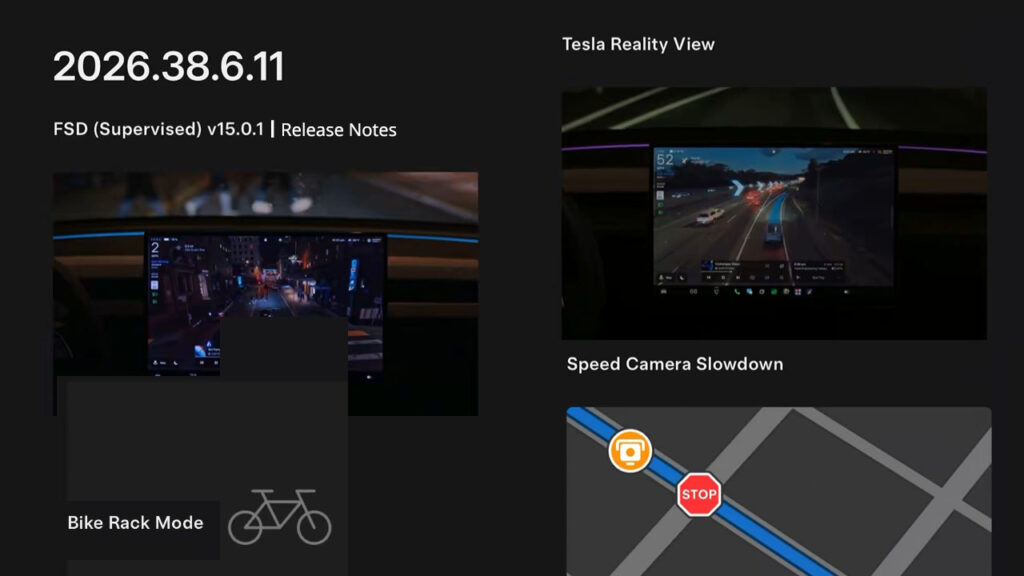
Tesla FSD v15.0.1 (2026.38.6.11): Official Release Notes
v15 upgrades every part of the end-to-end driving network, includes:
- Upgraded vision encoder shared between FSD, Robotaxi, and Optimus, which is trained on millions of internet videos for improved generalization and data efficiency, improving the critical intervention rate by 25x.
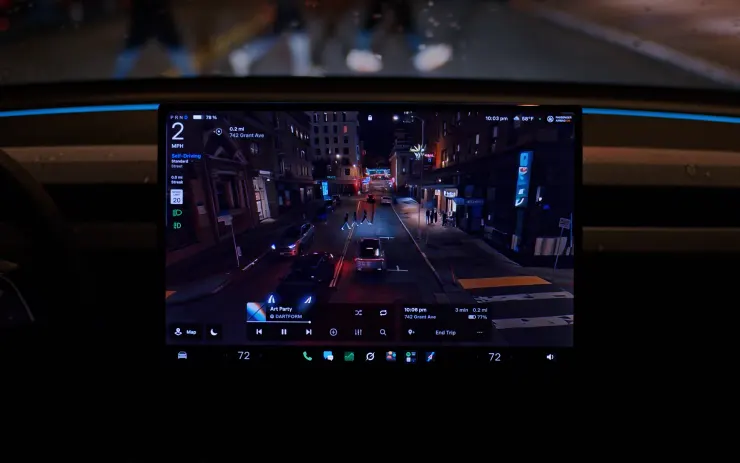
- Introduced Tesla Reality View, replacing all of the explicit model signals into a single end-to-end visualization using less total compute.
- Improved navigation by using an end-to-end learned model based on route preference data from the fleet.
- Improved parking location selection by using personalized parking history, and the map will now display multiple parking options at your destination.
- Improved driver monitoring by increasing vision-based attention monitoring availability with hats and sunglasses and decreasing strictness in higher speed driver profiles.
- Improved detection of road signs, small animals, road debris, and chains.
- Improved detection of potholes, road details, and avoidance of deep standing water.
- Improved speed handling for each driver profile, school zones and speed limits, and inclement weather.
- Improved Autoshift functionality by unifying with FSD-based gear predictions.
Tesla Reality View
- New real-time generative driving visualization that continuously streams a view from an arbitrary virtual camera situated above your vehicle, enabling you to see and control what FSD is planning to do.
- Select between fullscreen visualizations, maps or a split view or choose quiet mode for a calming cabin experience.
- Turn signals are quieter and fade out after a few clicks.
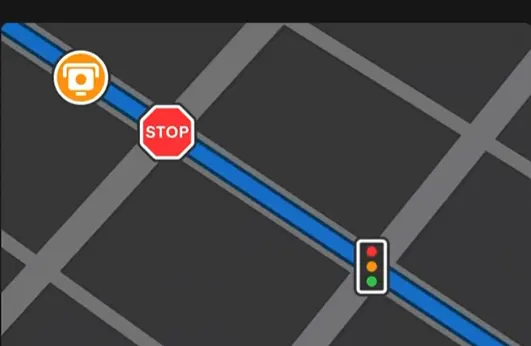
Speed Camera Slowdown
FSD (Supervised) can now slow down when it detects a speed camera. Press the accelerator or increase your speed profile to cancel the slowdown. If you cancel twice at the same camera, your Tesla saves that location and will not slow down there again.
To remove saved cameras, go to Controls > Service > Manage Saved Locations.
Bike Rack Mode
With Bike Rack Mode, you can now engage FSD (Supervised) and Autosteer when a bike rack or similar hitch accessory is installed. When Bike Rack Mode is enabled, FSD (Supervised) pulls over near your destination and does not reverse. Autopark, Summon, and Backup chimes and warnings will be disabled.

Stay tuned for constant Tesla updates. Follow us on:
Google News | Flipboard | X (Twitter) | WhatsApp Channel | RSS (Feedly).
Related Tesla FSD/Software Updates News
- Tesla FSD v15 (2026.38.6.11): Rollout Begins, Official Release Notes and New Features
- Tesla FSD v15 to go wide release with the 2026 Holiday Update and mind-bending reality renders in December, says Musk
- Tesla update 2026.44.1: hacker discovers transition from AI Computer to Super Intelligence, Grok sync, and more
- Tesla update 2026.44.1 goes wide release with FSD v14.3 Lite (HW3), FSD v14.3.13 (HW4) and Charger Network View (Release Notes)
- Tesla update 2026.38.6 goes into wide release, Grok comes out of beta, Latvian language support added

- Tesla expands the rollout of 2026.38.5.11 update: FSD v14.3.13 (HW4) and FSD v14.3 Lite (HW3)
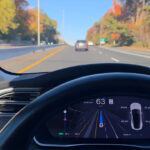


 starts the rollout of FSD v15.0.1 (2026.38.6.11) to early access group customer cars. Get the complete release notes with new features.)