Tesla FSD v14.2 modifies how you select Speed Profiles and Arrival Options

-

-Advertisement-

In its latest Full Self-Driving update, FSD v14.2, Tesla made improvements to its user interface. The new mechanism makes it easier for Tesla owners to select Speed Profiles and Arrival Options compared to the previous versions.

The following are the four speed profiles available in FSD v14:

  • Sloth
  • Chill
  • Hurry
  • Mad Max

In previous versions, you had to activate Autopilot FSD in order to be able to select a speed profile. Now, with FSD v14.2 (2025.38.9.5), you can select a speed profile before giving your car to Tesla’s Full Self-Driving mode.

FSD v14.2 also allows its users to set Arrival Options and Speed Profiles anytime during the drive, directly from the center display UI. Speed Profiles can also be selected using the right scroll wheel on the steering (see release notes below).

– Advertisement –

UI Improvements

  • Start Self-Driving with a tap of the touchscreen from Park, or any time during your drive.
  • Adjust settings like the Speed Profile and Arrival Options directly from the Autopilot visualization on the center display.
FSD v14.2 (2025.38.9.5) Release Notes
Tesla FSD v14.2 modifies how you select Speed Profiles and Arrival Options (destination on maps).
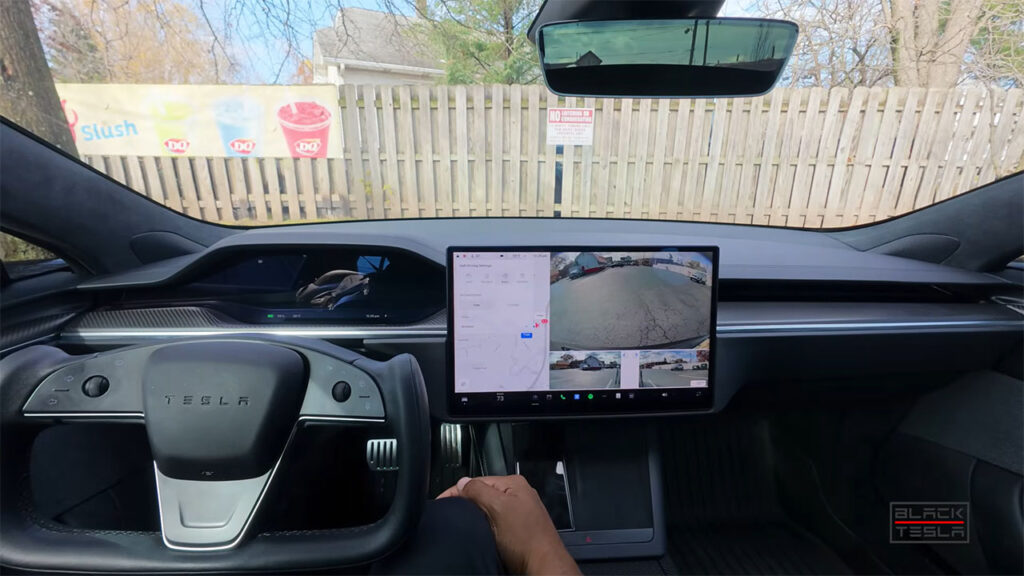
Tesla FSD v14.2 modifies how you select Speed Profiles and Arrival Options (destination on maps). Credit: Black Tesla / YouTuhe (video below).

Tesla has made it easier for FSD users to adjust their Speed Profile according to their mood and situation. The new readily available settings before and during the use of FSD add a layer of convenience to choose or modify the speed profile and destination.

Tesla’s Full Self-Driving (FSD) gives its users the freedom to safely use the center screen UI while the car drives itself. However, the owner is still responsible for supervising the vehicle in case it gets into an unsafe situation. Shifting focus from the road to the screen in a non-FSD-enabled vehicle is much more unsafe.

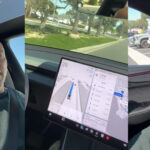
In the following video, Tesla owner and YouTuber ‘Black Tesla’ shows how to use the new UI to set the speed profile and Arrival Options (destination in navigation maps) before activating Tesla FSD v14.2.

Video: Tesla YouTuber reviews FSD v14.2 and shows how to use the updated UI for choosing Speed Profiles and Arrival Options.

Stay tuned for constant Tesla updates, follow us on: 
Google News | Flipboard | X (Twitter) | WhatsApp Channel | RSS (Feedly).

Related Tesla FSD News, Reviews, and Release Notes

Iqtidar Ali
Iqtidar Alihttp://www.teslaoracle.com
Author of more than 1500 articles on Tesla, SpaceX, and EVs. His work has been liked and tweeted by Elon Musk and other prominent influencers. You can reach him on Twitter @IqtidarAlii

LEAVE A REPLY

Please enter your comment!
Please enter your name here

Latest News

Tesla Cybercab has so much that’s not obvious on the surface, says Elon Musk

Tesla (TSLA) is entering a new phase in the new year with Cybercab robotaxi, Optimus humanoid robots, and Full...

Cop pulls over a Tesla Model Y Juniper because of its taillight design

An owner of the new Tesla Model Y Juniper shared his recent experience where a police officer in Indiana...

Watch the Tesla Semi peak charging at 1.2 Megawatts

To welcome the new year with renewed excitement and enthusiasm, Tesla (TSLA) showed the impressive charging capability of its...

Tesla Q4 2025: vehicle deliveries drop, QoQ and YoY comparisons, energy business shows compelling growth, more

Tesla (NASDAQ: TSLA) posted its Q4 2025 and Year 2025 vehicle production, deliveries, and energy storage deployment numbers. In Q4...
- Advertisement -

Stay tuned with the updates in your Inbox

Get the latest Tesla FSD, Software Updates, Starship News in Your inbox.

By hitting the Subscribe button you agree to receiving email communications from TeslaOracle.com.
We don't email everyday. Frequency will be weekly at max.

SpaceX pushes to stay on track for Flight 12 Starship launch schedule, watch the Christmas Parade at Starbase, Texas

Having a little fun during the end-of-year holidays is not bad at all, especially if the past year has...

SpaceX shares stunning videos of Flight 11 Starship and Booster 15 landings

Monday's Starship Flight 11 launch was a success by all measures as SpaceX met all of its objectives exactly...

Starship Flight 11: Read live updates, watch live-stream recordings of the launch

SpaceX has just confirmed that they're attempting today's eleventh Starship launch and landing test. You can check out the...

Tesla Tips & Tricks

Cybertruck update 2025.2.9 fixes the oil pump failure issue

Tesla (TSLA) started deploying the OTA update software version...

Tesla phone app lets owners remotely melt snow off their cars (video)

Tesla cars have some super-nice climate features that other...

Upcoming Tesla app feature lets you visually identify service issues in advance

In an upcoming over-the-air (OTA) software update to its...

Tesla Quarterly Reports & Eearnings

Tesla Q3 2025: Financial updates and key takeaways from the earnings call

Tesla (TSLA) released its Q3 2025 financial results and...

Tesla (TSLA) crushes critics by delivering around ~500k EVs in Q3 2025

Tesla (TSLA) released its Q3 2025 vehicle production and...

Stay tuned with the updates in your Inbox

Get the latest Tesla FSD, Software Updates, Starship News in Your inbox.

By hitting the Subscribe button you agree to receiving email communications from TeslaOracle.com.
We don't email everyday. Frequency will be weekly at max.
- Advertisement -

You might also likeRELATED
Recommended for You