It was a breath of fresh air for legacy car owners (Tesla models up to 2023). HW3 Tesla car owners were starving for a software update that would enhance their assisted Full Self-Driving experience for more than a year.
After about 6 weeks of internal, early access, and general customer testing, Tesla has started rolling out FSD v14.1 Lite. This is a new version and adds more clarification for the HW3 Lite branch version nomenclature.
As the FSD v14 Lite update went out to a large number of users and was tested extensively in the following weeks, users started noting problems. Brake-stabbing or false-braking was at the top of the list.
However, on some HW3 cars, FSD v14 Lite started creating thermal issues in the vehicle’s FSD computer, i.e., the HW3 circuit board.
These thermal events started appearing around the start of August. Some legacy HW3 Tesla cars experienced increased ECU overheating issues while the vehicle was driven by FSD v14 Lite.
APP_w141_ECU_Thermal_Issue
Tesla HW3 that experienced the overheating issue generated the Service Mode notification ‘APP_w141_ECU_Thermal_Issue’. The description of this error code states:
Description: The Autopilot electronic control unit (ECU) board temperature is out the recommended operating range.
Set Condition: Autopilot board temperature falls below 0C or rises above 90C
Clear Condition: Autopilot board termperature returns to normal range of 0C-90C.
Potential Impact: Autopilot may shut down, resulting in all Autopilot features being unvailable.
User Reports
Some Tesla owners reported the overheating issue on X, and some approached influencers and tech-savvy Tesla accounts like TeslaScope and Chuck Cook for help regarding the above-mentioned ECU overheating issue.
The car has a protection mechanism to shut down Autopilot/FSD if the temperature of the computer goes below 0°C or above 90° Celsius.
However, in one extreme case involving Chuck’s close family members, the overheating potentially caused HW3 computer hardware failure, and one of the side repeater cameras is also experiencing issues (read his entire post below).
Hopefully, the new FSD v14.1 Lite fixes the overheating issue but it’s too early to jump on conclusions.
I have contacted multiple Tesla HW3 owners to know if it has been taken care of in the new update. However, I am waiting on the feedback, so stay tuned for further updates on this matter.
Did your computer overheat after installing FSD 14 Lite?
I have some elderly family members that are in the middle of this issue right now. They are brand new FSD users, as I recently convinced them to subscribe to FSD for one month so they could use FSD on a long 2600 mile road trip from Vero Beach to Cape Cod (and back) this summer.
They drove north on FSD v12.6.4 and they fell in love with FSD on their first experience. While we were all up visiting in Massachusetts v14 Lite finally got installed on their 2022 Model Y AWD (65,000 miles, out of warranty) which they bought new in 2022. I explained to them all the improvements that were just uploaded to their car and that their drive home would be even better.
A few days after the software was installed, my brother in law who lives out west and is a new first time Tesla owner in Reno, was driving this vehicle and mentioned to me that there were a bunch of alerts about Automatic Emergency Braking (AEB) and Cameras not working. That seemed very odd to me. I went out and took a look at the alerts and noticed the Right Repeater Camera was not working. Decided to go into Service mode and poke around in the alerts and decided to try a DAS Reset. After doing the first DAS reset the right repeater came back! … for about 15 seconds then went back to a could not initialize error and with the same AEB and camera alerts came back. I did three more DAS resets and each time the camera came back for a few seconds and then failed again. This made me feel like the camera was working or at least not completely failed or disconnected. My mind was not on a HW3 computer failure at this point. I also have to say, I did not see any overheating alerts on this vehicle. I didn’t scroll all the way back in the history, though .. but overheating wasn’t my primary symptom. It was camera availability.
– Advertisement –
I encouraged them to file a service ticket on their app and grab the first available appointment anywhere for the right repeater and then try to get a Tesla Service center to accept a walk in appointment to help them on their road trip. On the first day of the 3-day 1300 mile drive home to Vero Beach, they went to the Tesla Service near Boston in Braintree, they were very nice to them and took them in immediately. Tesla Service diagnosed and passed along that their repeater camera was fine but that the FSD Computer had failed and needed replacing and it would be over $2000 for the out of warranty repair. They could not do that with a walk in even if they wanted to fix it immediately, so they would need to do this at home. This 80 year old couple drove home without any of the basic safety features they bought their Tesla for. No FSD, Basic Autosteer, lane avoidance protection, automatic emergency braking, auto wipers stopped working, and slowly over the three day drive the entire display stopped showing any surrounding cars, or road markings and is now completely blank, just the car on a blank driving environment screen while they drive.
They are completely lost on what to do. They really can’t afford the replacement of the computer. They are not tech savvy, and are confused why this would happen, and if they did anything wrong. Tesla is currently not saying anything, and they have a service appointment in a little more than a week in Merritt Island, FL. I am trying to reach out to anyone at Tesla that wants to look at their VIN and use their vehicle as a test case to further diagnose this issue.
If there is anyone @Tesla or @Tesla_AI who needs more information or their their VIN please DM me here on @X and lets work through this with them. I will have to be their liaison as they barely know how to use their app for communication with Tesla. If this indeed is an issue that needs to be addressed widely, it will be very important to handle this the right way with good up front transparent communication.
@Tesla lets get this right.
Official Release Notes: FSD (Supervised) v14.1 Lite (2026.21.6 for HW3 Tesla cars)
FSD (Supervised) v14. Lite (2026.21.6) includes:
Distilled the intelligence from HW4 V14 into HW3. This allows HW3 to directly learn how to handle scenarios using HW4 V14 as a guide. This process unlocks the improvements that have been made to HW4 including Reinforcement Learning (RL) and offline models for HW3.
Improved both proactive and reactive responsiveness across a wide variety of categories including navigation handling, merges and forks, pedestrian interactions, traffic lights, and vehicle cut-in scenarios.
Improved general comfort in nominal scenarios through fewer false slowdowns, smoother steering and more consistent lane centering.
Introduced parking, unparking, and reversing capabilities.
Added Arrival options for you to select where FSD should park: in a Parking Lot, on the Street, in a Driveway, or at the Curbside.
Speed Profiles are now available at all times, to further customize driving style preferences.
Author of more than 1500 articles on Tesla, SpaceX, and EVs. His work has been liked and tweeted by Elon Musk and other prominent influencers. You can reach him on Twitter @IqtidarAlii
1 COMMENT
I own a 2021 YP and paid the full $10,000 for FSD. While certainly disappointed that my HW3 will never allow FSD-Unsupervised, I have enjoyed the level-3 Driver Assist for three LA-NJ-LA trips. Elonia should just offer refunds (with interest) and let it go. That action would require empathy and integrity which is in short supply at Tesla. He can certainly afford to do the right thing…just refuses. Sadly…his positive reputation from 2021 is long gone.


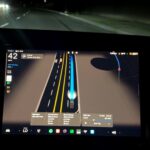
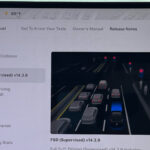
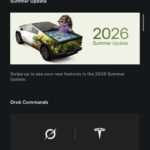
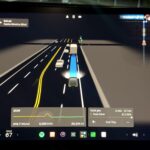
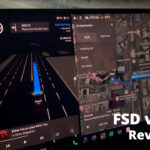


 begins the rollout of FSD v14.1 Lite (2026.21.6) for HW3 cars, as some Tesla owners report overheating issue of the Autopilot ECU (APP_w141_ECU_Thermal_Issue).)
I own a 2021 YP and paid the full $10,000 for FSD. While certainly disappointed that my HW3 will never allow FSD-Unsupervised, I have enjoyed the level-3 Driver Assist for three LA-NJ-LA trips. Elonia should just offer refunds (with interest) and let it go. That action would require empathy and integrity which is in short supply at Tesla. He can certainly afford to do the right thing…just refuses. Sadly…his positive reputation from 2021 is long gone.