

Tesla (TSLA) has started rolling out the 2026.20 over-the-air (OTA) software update. This update introduces a couple of much-needed features related to the safety of dashcam video data and parental controls (official release notes below).
The new 2026.20 software update was first seen on May 30. The rollout began with vehicles in Europe. However, with the recent reports from Tesla owners, the update is now going out to Tesla cars in North America as well.
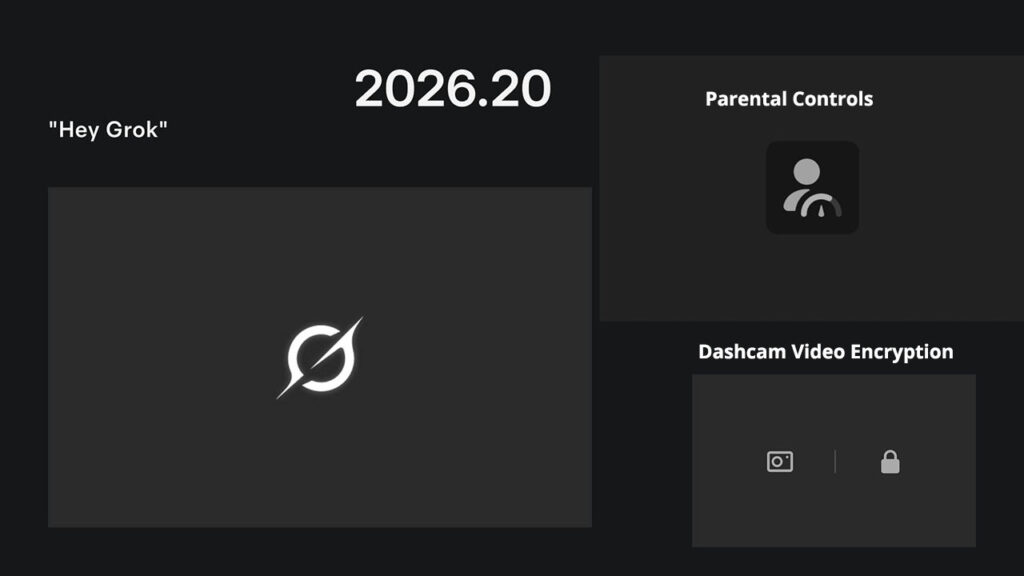
When a Tesla vehicle is parked, the video apps (Theatre) and video games (Arcade) are accessible to any occupant. To block underage children from accessing these infotainment apps, Tesla has now provided parents with blocking controls (update 2026.20 and later).
Another security and privacy feature that Tesla has introduced in the 2026.20 update is the encryption of dashcam video clips. When saved to the vehicle’s USB flash drive, Tesla dashcam footage is encrypted if the option is turned on in the controls (refer to release notes below).
With the 2026.20 update, Tesla has now rolled out the ‘Hey Grok’ feature to users in Taiwan, originally launched in the 2026 Spring Update.
2026.20 Rollout Status
As of this writing, tracking data from TeslaFi.com and Tessie.com suggests that the 2026.20 update has rolled out to around 4.5% of the Tesla fleet.
According to TeslaScope.com, Tesla has sent out a large wave of the 2026.20 update to around 2,200 vehicles. This means that this new update will become a wide release in the coming days.
I looked at the tracking data and saw the TeslaScope status page, but couldn’t find a Cybertruck with the 2026.20 update. The remaining vehicle lineup with both the legacy HW3 and the new HW4/AI computers is getting the 2026.20 update.
Tesla Update 2026.20: Official Release Notes
Dashcam Clip Encryption
Dashcam clips are now encrypted for privacy when saved to your USB flash drive. Only your vehicle can view them. To decrypt clips, tap the padlock icon in the Dashcam app or visit dashcam.tesla.com.
To disable encryption, go to Controls > Safety > Encrypt Dashcam Recordings
Parental Controls
You can now lock Browser, Theater, and Arcade from your Tesla by going to Controls > Safety > Parental Controls while in Park.
Hey Grok (Taiwan)
Security Improvements
This update includes important security fixes and improvements.

Stay tuned for constant Tesla updates. Follow us on:
Google News | Flipboard | X (Twitter) | WhatsApp Channel | RSS (Feedly).
Related Tesla Software Updates News
- Tesla rolls out FSD v14.3 Lite (2026.38.5.1) to legacy HW3 Model S/X vehicles with Intel GPU
- Tesla FSD v14.3.12 with Halloween Update (2026.38.5) goes wide release (demo videos, release notes)

- Tesla begins the FSD v14.3.11 (2026.33.5) update rollout (first impression videos, release notes)
- Tesla Emergency Drive Away feature can cost $25K in Supercharger damages, coming in the 2026.38.3 update to the US only
- Tesla update 2026.38 improves car visuals and adds auto-leveling headlights for legacy HW3 cars (NHTSA recall, release notes)

- Tesla rolls out FSD v14.2 Lite: legacy Tesla owner reviews, rollout status


.)