In the last few years, as with the Holiday Update, Tesla owners have also expected a Spring Update each year. The tech & AI-based automaker isn’t going to shatter these expectations this year as well.
On its CEO Elon Musk’s social media platform, X, Tesla (TSLA) shared details of upcoming features and improvements in the 2026 Spring Update software release (complete details below).
Tesla hasn’t announced the exact firmware version for the 2026 Spring Update yet. As of this writing, this new mid-year over-the-air (OTA) software update hasn’t started rolling out to customer cars.
Last year’s Spring Update started going out to customers in the first week of May. As the highlights have already been shared by Tesla, the update should be expected in a week or so.
Except for some features, the Tesla Spring Updates are distributed to the global fleet of Tesla vehicles. Because most of these new apps and features are in-car infotainment-related.
Jump to:
- New Pet Mode ‘Cyberhog’ Mascot
- Self-Driving App
- “Hey Grok” Voice Command
- Improved Car Visualization (New Model 3 & Y)
- Trip Stats
- Sketchpad Upgrade
- Custom Wraps and License Plates (SX)
- Blind Spot Warning Accent Lights
- Immersive Sound (New Model 3 & Y w/ premium audio)
- Automatically Install Updates
- Weather Maps Improvements
- Dashcam Improvements
- Other Improvements
New Pet Mode ‘Cyberhog’ Mascot
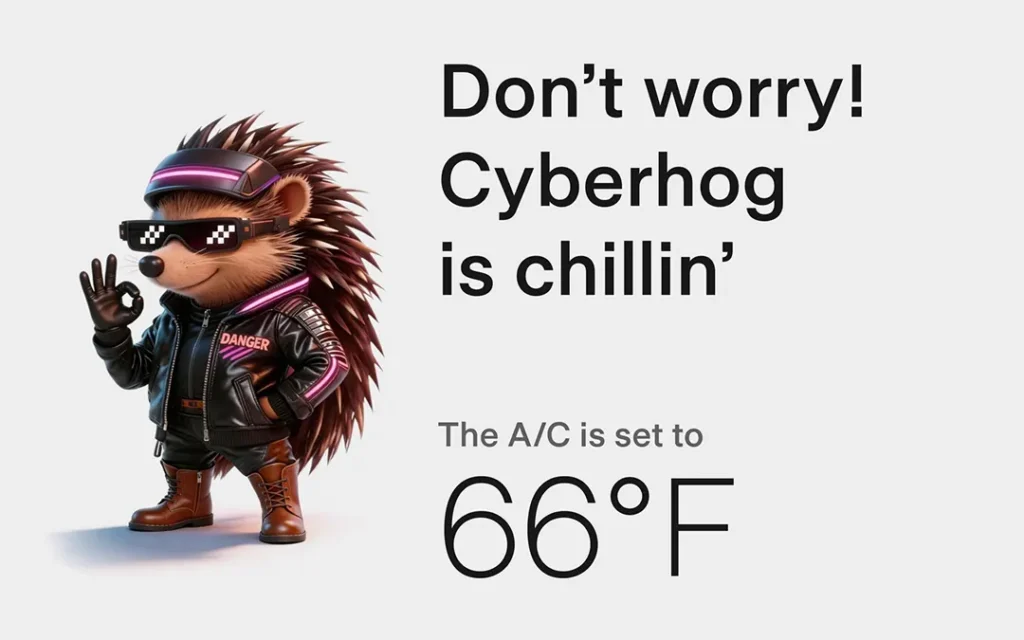
The 2026 Spring Update brings a new and stylish hedgehog mascot icon. The new ‘Cyberhog’ animated character will be available in Ped Mode in addition to the Cat and Dog icons.
Pet Mode allows Tesla owners to leave their pets behind in the car by maintaining the cabin’s temperature for the safety of the animal. After installing this year’s Spring software update, you can also input the pet’s name to be displayed on the screen.
Choose from dog, cat or hedgehog to display when Pet Mode is active. Also optionally customize the screen with your pet’s name by going to Controls > Display > Customize Pet Mode.
Self-Driving App (AI4 hardware)
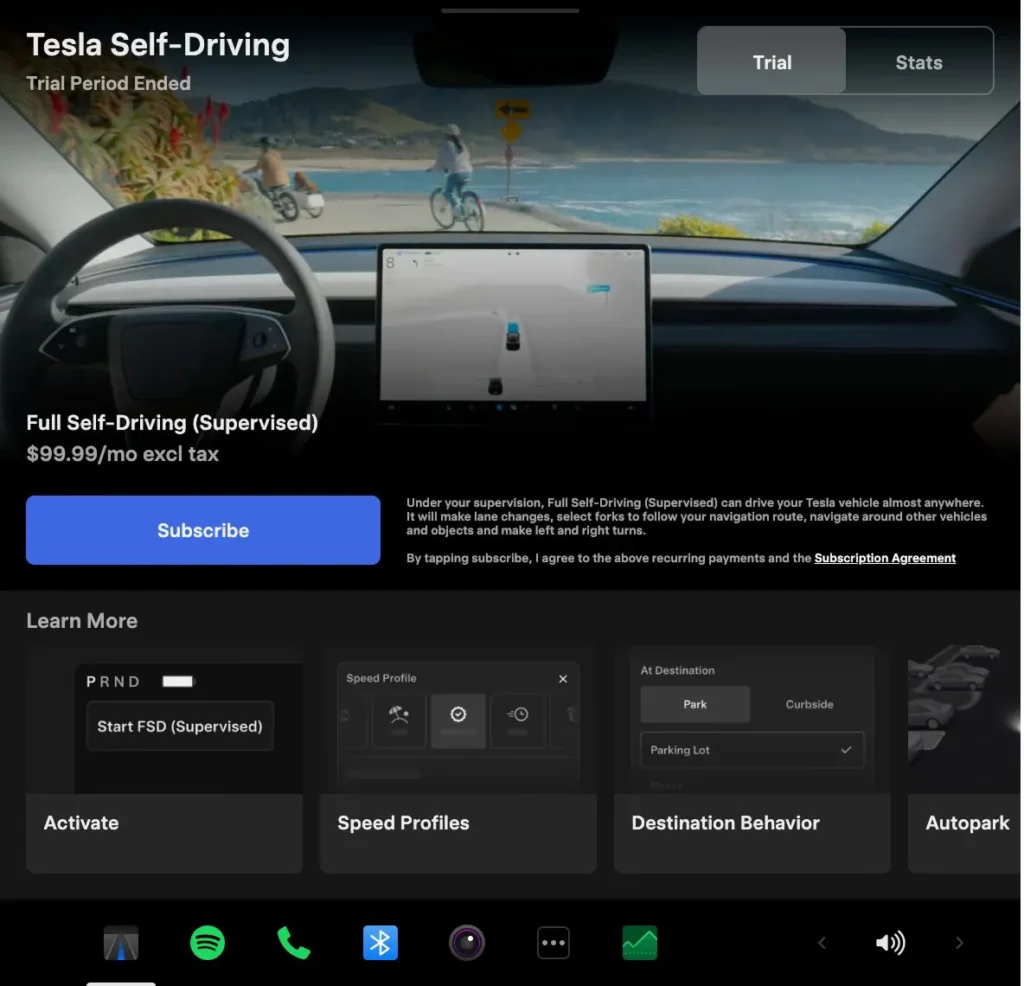
This is probably the most important and extensive feature offered in the upcoming 2026 Tesla Spring Update. The automaker has developed an entirely new app for Full Self-Driving (FSD) users.
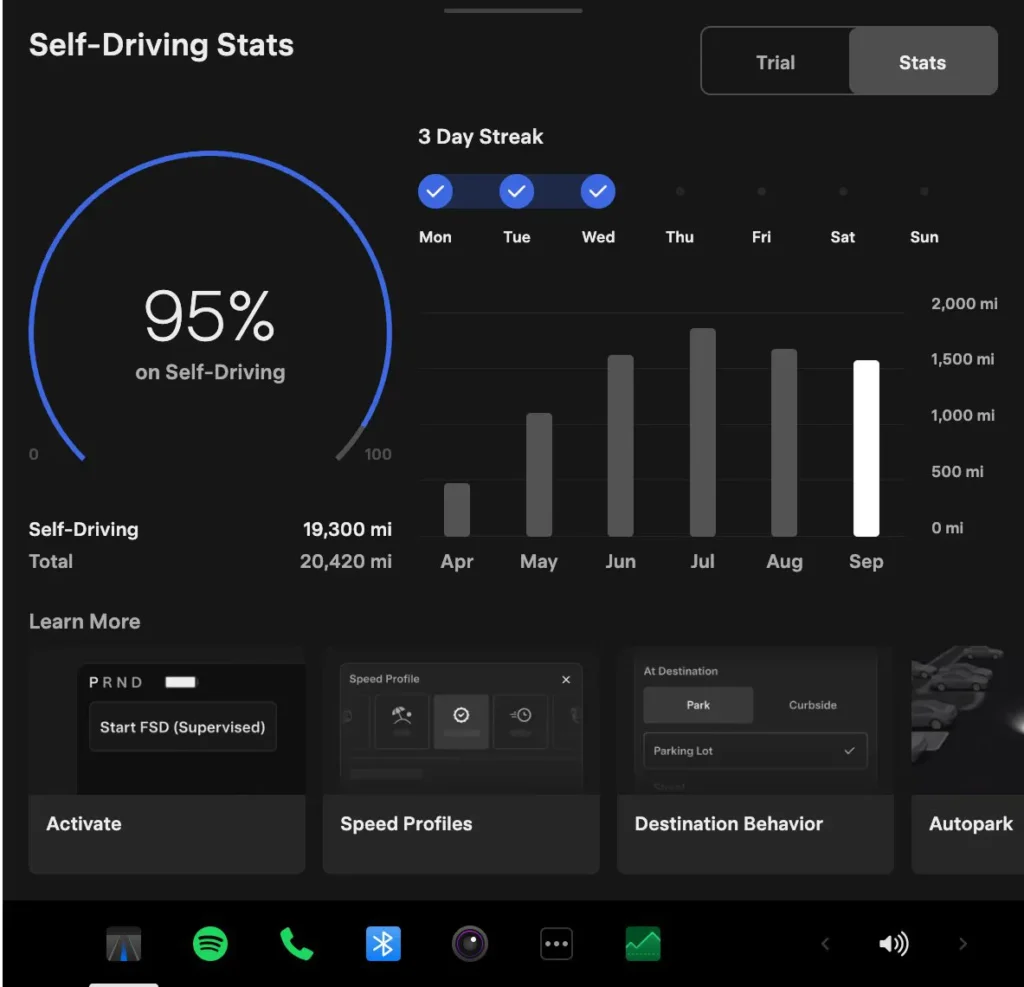
The user interface (UI) of the new Self-Driving App offers easy access to the Trial and Subscription options on the first tab. The 2nd tab shows detailed statistics between FSD and human-driven miles. The tabs are located on the top-right corners of the Self-Driving App.
Tesla introduced the Self-Driving Stats feature in the FSD v14.2 (2028.38.9.5) software update last year. In the 2026 Spring Update, Tesla has further refined the statistics by offering additional data analytics to the owner/driver of the vehicle.
The Self-Driving App even shows the streak of days you have been driving your car solely on FSD. Unfortunately, the Self-Driving App is only going to be available to Hardware 4 (AI4) vehicles.
Self-Driving App (AI4 hardware)
New Self-Driving app lets you subscribe with a single tap & learn about how to activate and use the feature. You can also view ongoing stats.
App Launcher > Self-Driving
“Hey Grok” AI Assistant Voice Activation
Grok AI Assistant has been available in Tesla vehicles in North America since last year, and it expanded to Europe earlier this year. The automaker keeps improving Grok integration and features via free OTA software updates.
Currently, Tesla owners need to activate Grok AI via the on-screen user interface. This is an inconvenience for most Tesla owners as they are either driving the car or paying attention to the road to supervise FSD.
On popular demand by Tesla owners, the automaker is rolling out voice activation of Grok in Tesla cars in the upcoming Spring Update 2026. You just need to say “Hey Grok,” and the AI assistant will be ready to accept voice commands.
Launch Grok by saying “Hey Grok.”
Enable via Grok > Settings. You can also set location-based reminders, like “remind me to pick up milk when I’m near home.” Say “goodbye” to dismiss Grok.

Improved Car Visualization (New Model 3 & Y)
After installing the 2026 Spring Update, the on-screen car visualization renderings for Tesla Model 3 (Highland) and Model Y Juniper will improve significantly.
Both of these newer models have the AMD Ryzen-based GPU that renders the graphics on the car’s screen. This level of attention to detail was first seen in the Cybertruck’s visualization. Now it has come to the new Model 3/Y vehicles.
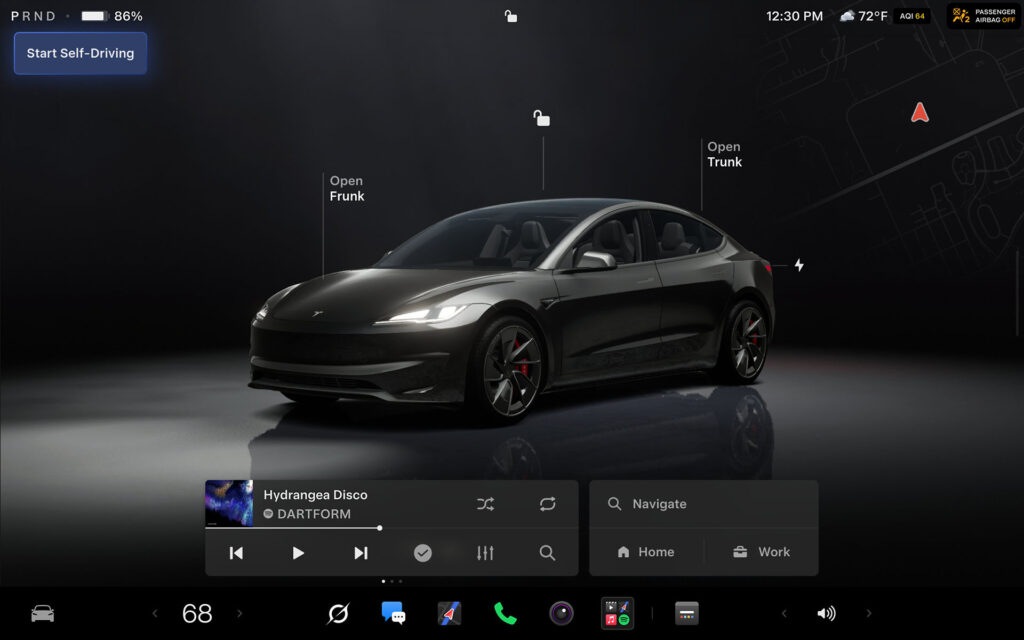
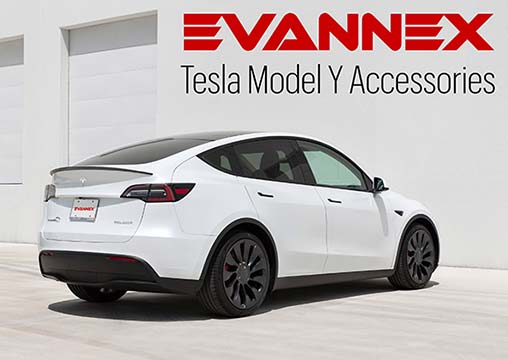
Car Visualization (New Model 3 & Y)
A new park scene environment & higher quality car visualization.
Trip Stats
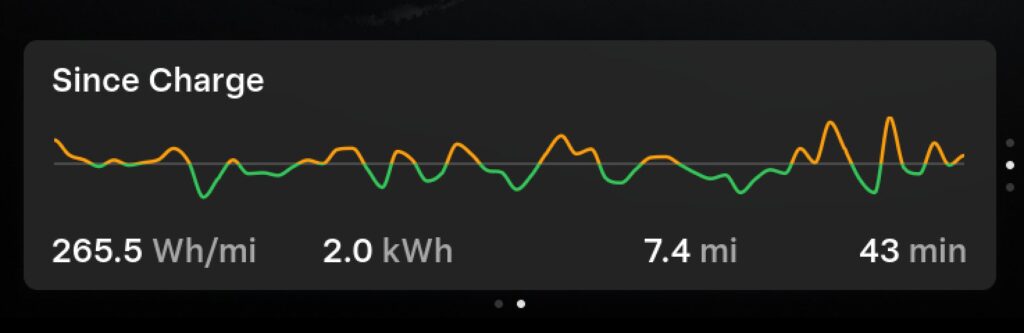
Create multiple trips to track energy stats across drives. Quickly access your trip’s consumption by swiping left on the media player.
App Launcher > Energy > Trips
Sketchpad
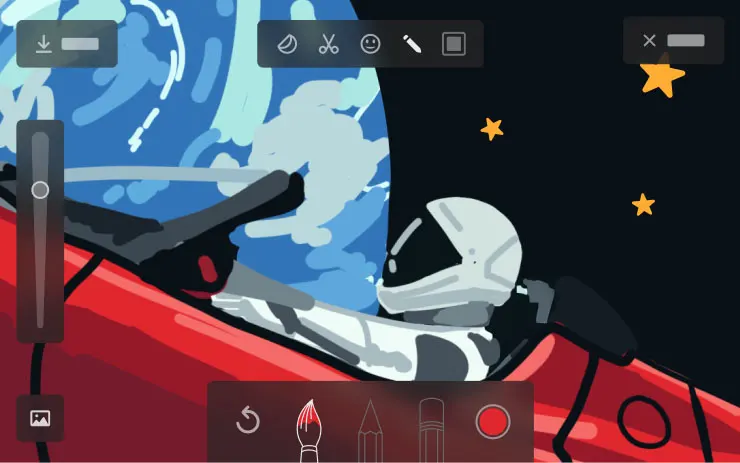
Sketchpad now supports stickers & emojis. You can also save your sketches to access them in the Mobile App & share.
Custom Wraps and License Plates (S and X Avatars)
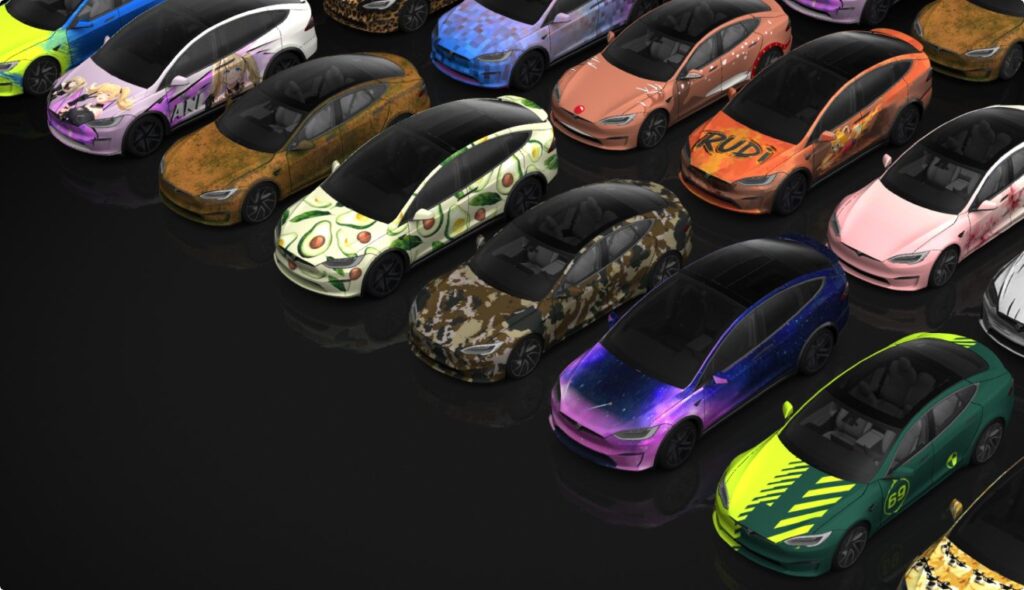
Custom Wraps and License Plates (SX)
Model S & X owners can now personalize their Tesla avatar with window tints, custom wraps & license plates.
App Launcher > Toybox > Paint Shop or tap the paint or license plate button in Controls > Software
Weather Maps Improvements
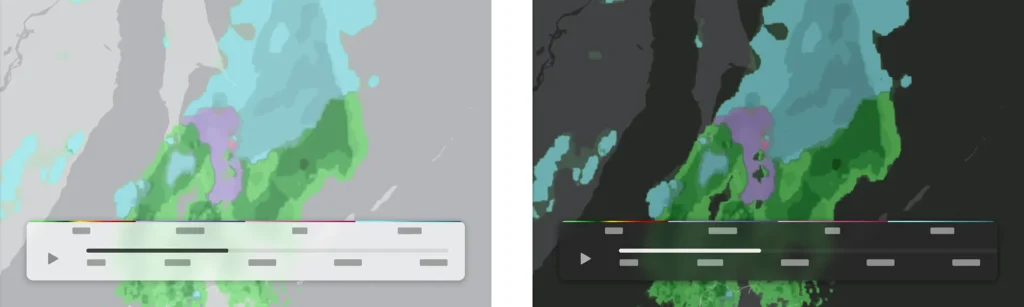
Weather Maps Improvements
Weather maps now show snow and rain with improved colors that make it easier to distinguish between precipitation types. You can also view the past hour of weather data to see how conditions have been changing along your route.
Dashcam Improvements
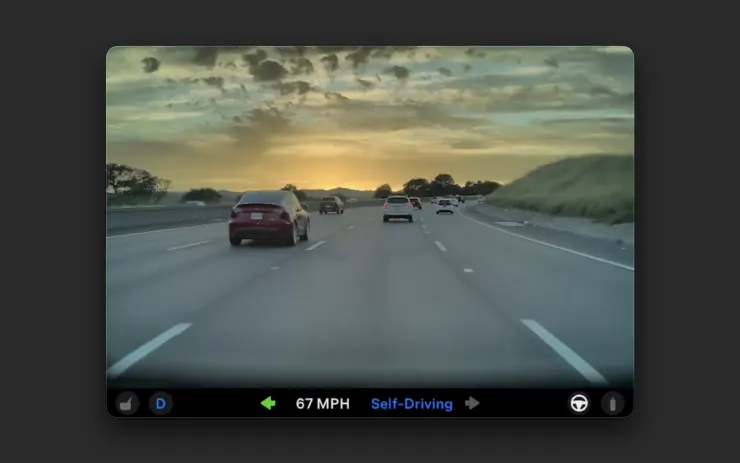
Dashcam Improvements
Recent Dashcam footage can now extend up to 24 hours & you can save any clip for permanent storage on your Tesla by going to App Launcher > Dashcam Viewer. Clips stay on the vehicle and are never shared to Tesla.
Blind Spot Warning Accent Lights
Blind Spot Warning Accent Lights
Accent lights now turn red when an object is in your blind spot and your turn signal is engaged, or when an approaching object is detected while parked.
Immersive Sound (New Model 3 & Y w/ premium audio)
Immersive Sound (New Model 3 & Y w/ premium audio)
Premium Immersive Sound uses advanced sound extraction to place the listener in front of a detailed soundstage within an Immersive space. This enhancement works with all streaming sources. Go to Settings > Audio > Tone > Immersive Sound to adjust.
Automatically Install Updates
Automatically Install Updates
Your Tesla can now automatically install downloaded software updates overnight. When enabled, updates will install while your Tesla is parked and not in use.
To enable, go to Controls > Software > Automatically Install Updates.
Other Improvements
- Swipe right on tracks in Apple Music or Spotify to add them to the queue. In Apple Music, tap and hold on a track to add or remove from Favorites. In Spotify, swipe left to add or remove from Liked Songs
- Passengers in rear seats can now view and interact with maps on the rear display while your Tesla navigates a route
Jump back to:
- New Pet Mode ‘Cyberhog’ Mascot
- Self-Driving App
- “Hey Grok” Voice Command
- Improved Car Visualization (New Model 3 & Y)
- Trip Stats
- Sketchpad Upgrade
- Custom Wraps and License Plates (SX)
- Blind Spot Warning Accent Lights
- Immersive Sound (New Model 3 & Y w/ premium audio)
- Automatically Install Updates
- Weather Maps Improvements
- Dashcam Improvements
- Other Improvements
Stay tuned for constant Tesla updates. Follow us on:
Google News | Flipboard | X (Twitter) | WhatsApp Channel | RSS (Feedly).
Related Tesla Software Updates News
- Tesla rolls out FSD v14.3 Lite (2026.38.5.1) to legacy HW3 Model S/X vehicles with Intel GPU
- Tesla FSD v14.3.12 with Halloween Update (2026.38.5) goes wide release (demo videos, release notes)

- Tesla begins the FSD v14.3.11 (2026.33.5) update rollout (first impression videos, release notes)
- Tesla Emergency Drive Away feature can cost $25K in Supercharger damages, coming in the 2026.38.3 update to the US only
- Tesla update 2026.38 improves car visuals and adds auto-leveling headlights for legacy HW3 cars (NHTSA recall, release notes)

- Tesla rolls out FSD v14.2 Lite: legacy Tesla owner reviews, rollout status