Tesla rolls out the most awaited “Request FSD Beta” button feature (Safety Score, release notes, more)

-

-Advertisement-

After months and months of wait and delays, Tesla has finally released their most anticipated feature of this year, the “Request Full Self-Driving Beta” button. Tesla has started to roll out this feature with over-the-air software update version 2021.32.22.

Tesla owners in the United States with the 2021.32.22 software update can now place an opt-in request to join the Tesla Full Self-Driving Beta program using this button. The following release notes show you how to get to this button and request FSD Beta for your Tesla car.

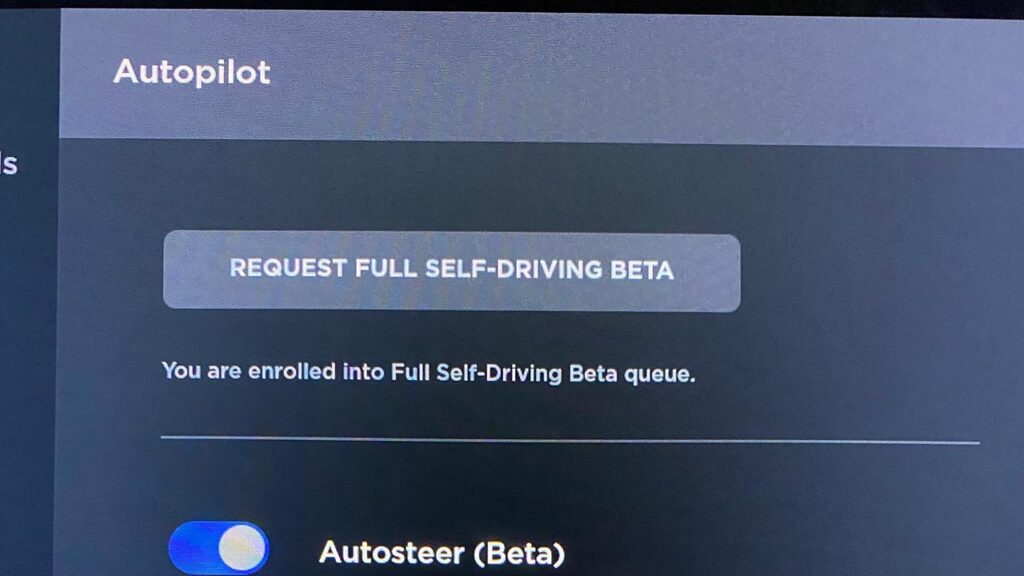
You can now request early access to Full Self-Driving Beta pending eligibility. To get started, tap ‘Controls’ > ‘Autopilot’ > ‘Request Full Self-Driving Beta’ and follow the instructions.

Tesla firmware version 2021.32.22 release notes.
Tesla Model Y Accessories by EVANNEX (Sponsored Banner).
– Sponsored –
"Request Full Self-Driving Beta" on a Tesla vehicle's center touchscreen.
“Request Full Self-Driving Beta” on a Tesla vehicle’s center touchscreen. Credits: Early of Frunkpuppy (@28delayslater) / Twitter.

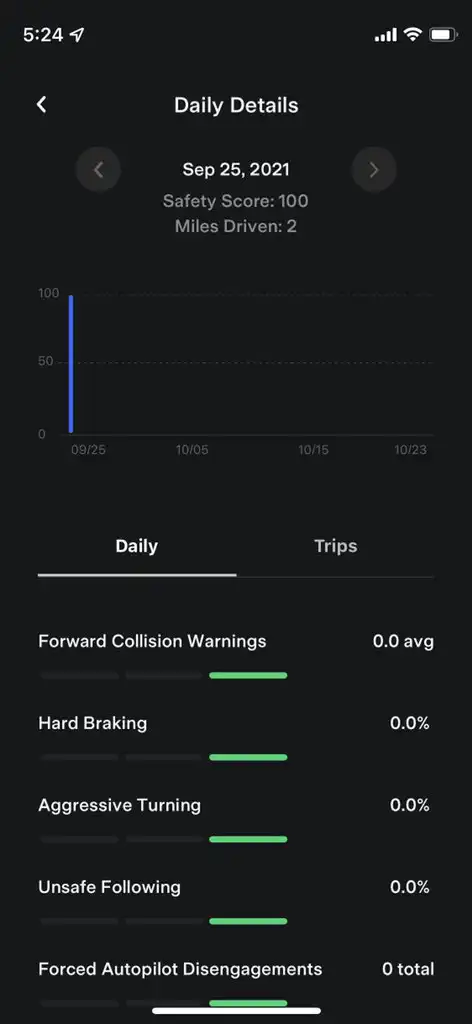
However, there is a catch, Tesla has now added a new “Safety Score” tab in the mobile app and most probably in the vehicle nav as well. This new option tells you how safe a driver you have been. The safety score driving behavior data can be seen for every trip and for daily use (screenshots below).

You can learn more about how Tesla Safety Score is calculated on Tesla’s official support page.
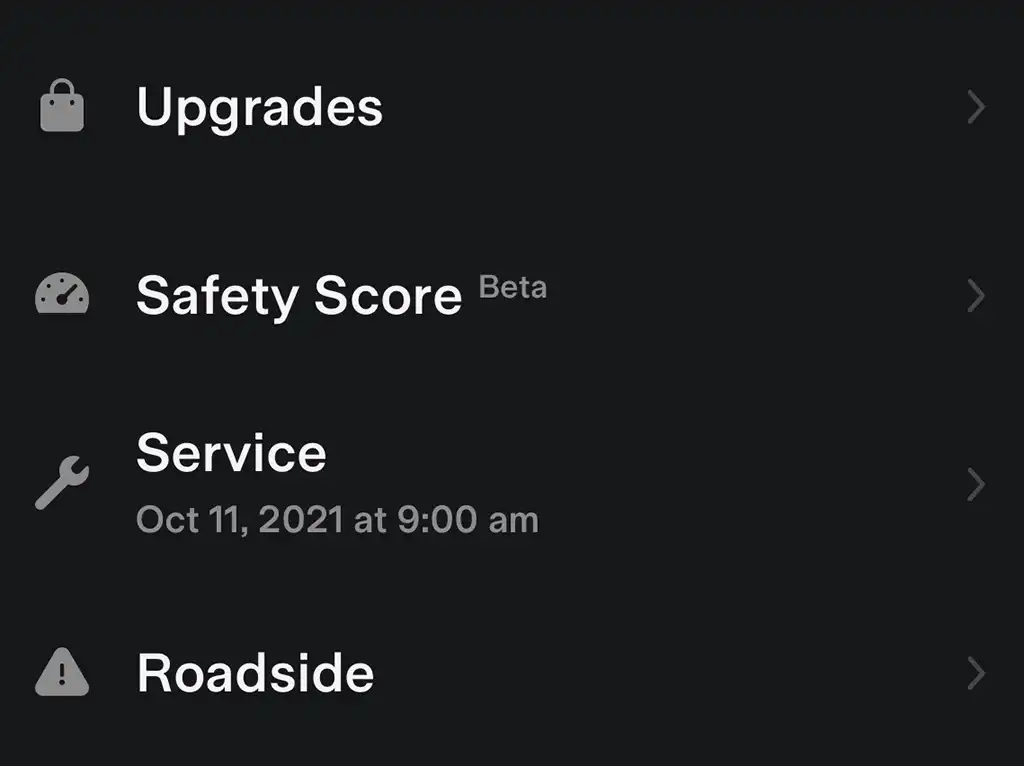
Safety Score tab in Tesla mobile app.
Safety Score tab in Tesla mobile app. Credits: TeslaScope.com
Safety Score screenshot from the Tesla mobile app.
Safety Score screenshot from the Tesla mobile app. Credits: @cybrtrkguy / Twitter.
– Advertisement –

So, as soon as you press the Request FSD Beta button, Tesla starts to calculate your safety score based on the metrics shown in the above screenshot from the Tesla mobile app. The basic criteria are Forward Collision Warnings, Hard Braking, Aggressive Turning, Unsafe Following, Forced Autopilot Disengagements.

Only after analyzing the Safety Score of a specific vehicle, Tesla will enroll it in the Full Self-Driving Beta program. Despite the button is now available to a wide range of Tesla owners, Tesla states that this is still a “limited early access program”.

After pressing the “Request Full Self-Driving Beta” button, the following message appears on the screen:

Thank you for your interest in limited early access Full Self-Driving Beta!

The Tesla team is analyzing your vehicle driving data and Safety Score to determine eligibility. You can view your Safety Score from the Tesla app at any time (version 4.1.0 or newer). If eligible, you will receive a software update as part of the limited early access.
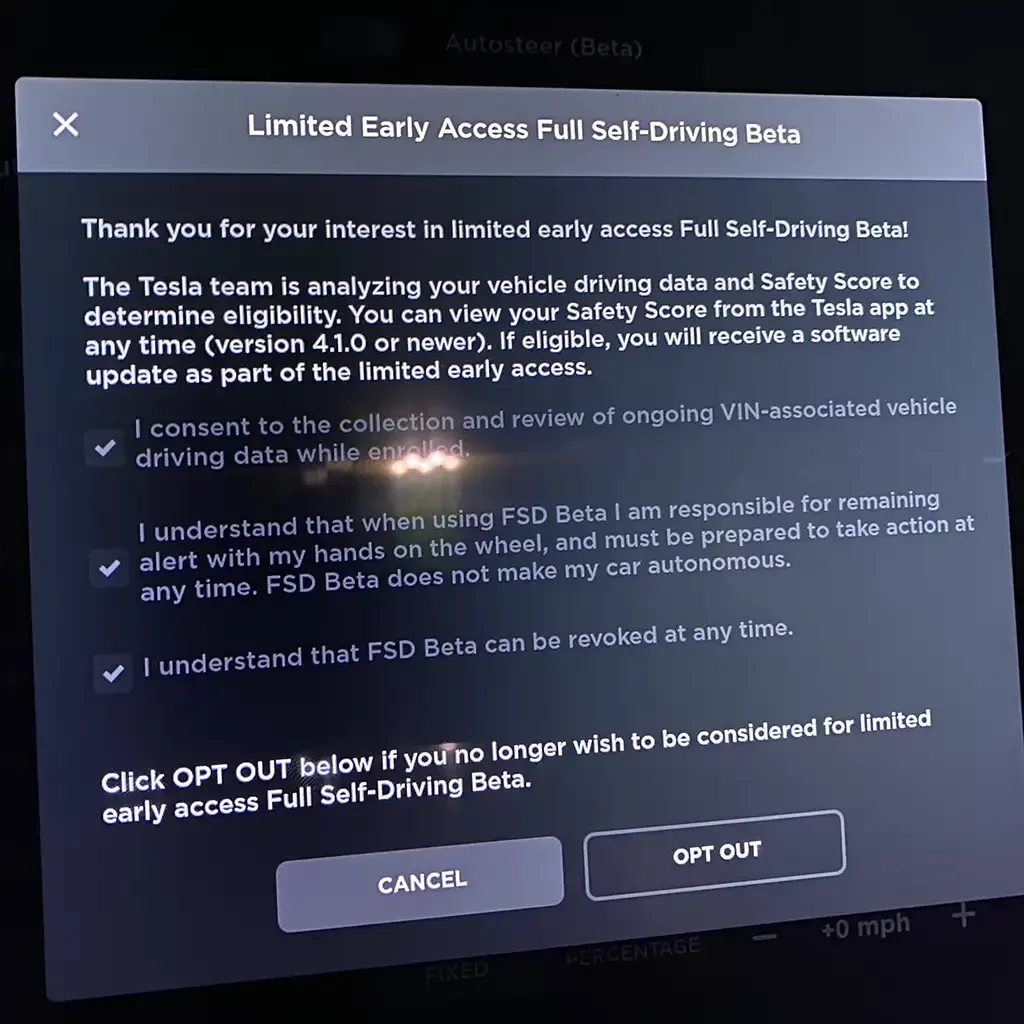
Tesla message and terms of use after pressing the Request Full Self-Driving Beta button.
Tesla message and terms of use after pressing the Request Full Self-Driving Beta button. Credits: @28delayslater / Twitter.

Tesla also asks owners to agree to the following terms when signing up for the FSD Beta program:

  • I consent to the collection and review of ongoing VIN-associated vehicle driving data while enrolled.
  • I understand that when using FSD Beta, I am responsible for remaining alert with my hands on the wheel, and must be prepared to take action at any time. FSD Beta does not make my car autonomous.
  • I understand that FSD Beta can be revoked at any time.

Hundreds and probably thousands of Tesla owners are currently trying to enroll themselves in this early access FSD Beta program, let’s see what percent of these requests Tesla actually entertains. Stay tuned and let us know your thoughts in the comments section below.

Stay tuned for constant Tesla updates. Follow us on: 
Google News | Flipboard | X (Twitter) | WhatsApp Channel | RSS (Feedly).

Video demonstration of enrolling into the FSD Beta program using the button.
Iqtidar Ali
Iqtidar Alihttp://www.teslaoracle.com
Author of more than 1500 articles on Tesla, SpaceX, and EVs. His work has been liked and tweeted by Elon Musk and other prominent influencers. You can reach him on Twitter @IqtidarAlii

Latest News

SpaceX to attempt Starship catch in Flight 14, as Flight 13 Ship 40 landed precisely

Elon Musk has hinted that SpaceX will attempt to catch the Starship upper stage in the next launch-and-landing test...

Flight 13 Starship 40 is still floating in the Indian Ocean after 100 hours of its soft landing; Elon Musk shares the latest video,...

SpaceX (SPCX) launched Starship for the 13th time from its Starbase, Texas, launch site on Friday, July 24. The...

Tesla owners report regressions in FSD v14.3.6 (2026.20.6.11), the update still goes wide release

Tesla (TSLA) has made the newest FSD v14.3.6 AI software update available to a wider number of AI4/HW4 vehicles....

Tesla (TSLA) makes $100 billion in trailing 12 months for the first time, Q2 2026 YoY and QoQ comparisons, Earnings Call, more

Tesla (TSLA) revealed its Q2 2026 financial results last week on July 22. The coverage of this event was...
- Advertisement -

Stay tuned with the updates in your Inbox

Get the latest Tesla FSD, Software Updates, Starship News in Your inbox.

By hitting the Subscribe button you agree to receiving email communications from TeslaOracle.com.
We don't email everyday. Frequency will be weekly at max.

SpaceX to attempt Starship catch in Flight 14, as Flight 13 Ship 40 landed precisely

Elon Musk has hinted that SpaceX will attempt to catch the Starship upper stage in the next launch-and-landing test...

Flight 13 Starship 40 is still floating in the Indian Ocean after 100 hours of its soft landing; Elon Musk shares the latest video,...

SpaceX (SPCX) launched Starship for the 13th time from its Starbase, Texas, launch site on Friday, July 24. The...

Flight 13: Starship 40 was the first to float on water after a soft splashdown landing (video)

Starship's 13th flight test (IFT-13) was an epic launch and landing event. SpaceX (NASDAQ: SPCX) showed patience as the...

Tesla Tips & Tricks

Tesla Model S and Model X owners can switch the on-screen media player position with a single tap (video)

Tesla (TSLA) keeps improving car features and the screen...

Here’s how to drive a Tesla Model 3/Y without the center screen (video)

All credit goes to Tesla for making giant center...

Cybertruck rust or just dust — and how to fix the issue

It has been almost 3 months since Tesla started...

Tesla Quarterly Reports & Eearnings

Stay tuned with the updates in your Inbox

Get the latest Tesla FSD, Software Updates, Starship News in Your inbox.

By hitting the Subscribe button you agree to receiving email communications from TeslaOracle.com.
We don't email everyday. Frequency will be weekly at max.
- Advertisement -

You might also likeRELATED
Recommended for You